Best for: First-time template users, quick customizations
For more inspiration, explore 10Th Birthday Party Invitations.
Cost: Free templates + premium options ($2-5)
2. **Microsoft Word/Office Templates**
If you're already using Microsoft Office, built-in templates offer a straightforward solution. Search "birthday invitation" in Word, and you'll find dozens of professionally designed templates ready to customize.
Best for: Office users, traditional designs
Cost: Free with Office subscription
3. **Google Docs/Slides**
Google offers free, cloud-based alternatives with template galleries. Create, edit, and share directly from any device. Templates sync automatically, making collaboration seamless.
Best for: Collaborative planning, cloud access
Cost: Completely free
Adobe Express provides beautiful, modern templates with professional-grade customization. The free tier includes thousands of designs and basic editing tools.
Best for: Modern aesthetic, brand consistency
Cost: Free plan available + premium ($9.99/month)
5. **Piktochart**
Piktochart's template library includes colorful, eye-catching birthday invitations perfect for children's parties. Simple drag-and-drop customization makes it beginner-friendly.
Best for: Children's parties, vibrant designs
Cost: Free plan + premium ($12-35/month)
6. **Greetings Island**
A dedicated free resource specifically for printable party invitations, greeting cards, and seasonal designs. Their library is extensive and organized by occasion and theme.
Best for: Printable designs, traditional styles
Cost: Completely free
7. **Evite**
Beyond digital invitations, Evite offers printable templates and handles RSVPs automatically. Their interface is intuitive for both digital and printed options.
Best for: RSVP tracking, digital + printed hybrid
Cost: Free digital + premium printable options
8. **Shutterfly**
Shutterfly combines free customizable templates with high-quality printing services. They frequently offer promotional discounts on printed invitations.
Best for: Photo-based invitations, professional printing
Cost: Free design + printing costs ($0.50-2 per card)
9. **PubHTML5**
This platform hosts user-created templates and templates from designers. You can find unique, creative designs that stand out from mainstream sources.
Best for: Unique designs, designer collections
Cost: Free + premium options
10. **Template.net**
With over 500 free invitation templates across dozens of categories, Template.net provides variety for virtually any party style or age group.
Best for: Large selection, specific themes
Cost: Free download + premium editing ($9/month)
Part 2: Birthday Party Invite Templates by Age & Theme
Invitations for Children (Ages 1-12)
Toddler (1-3 Years)
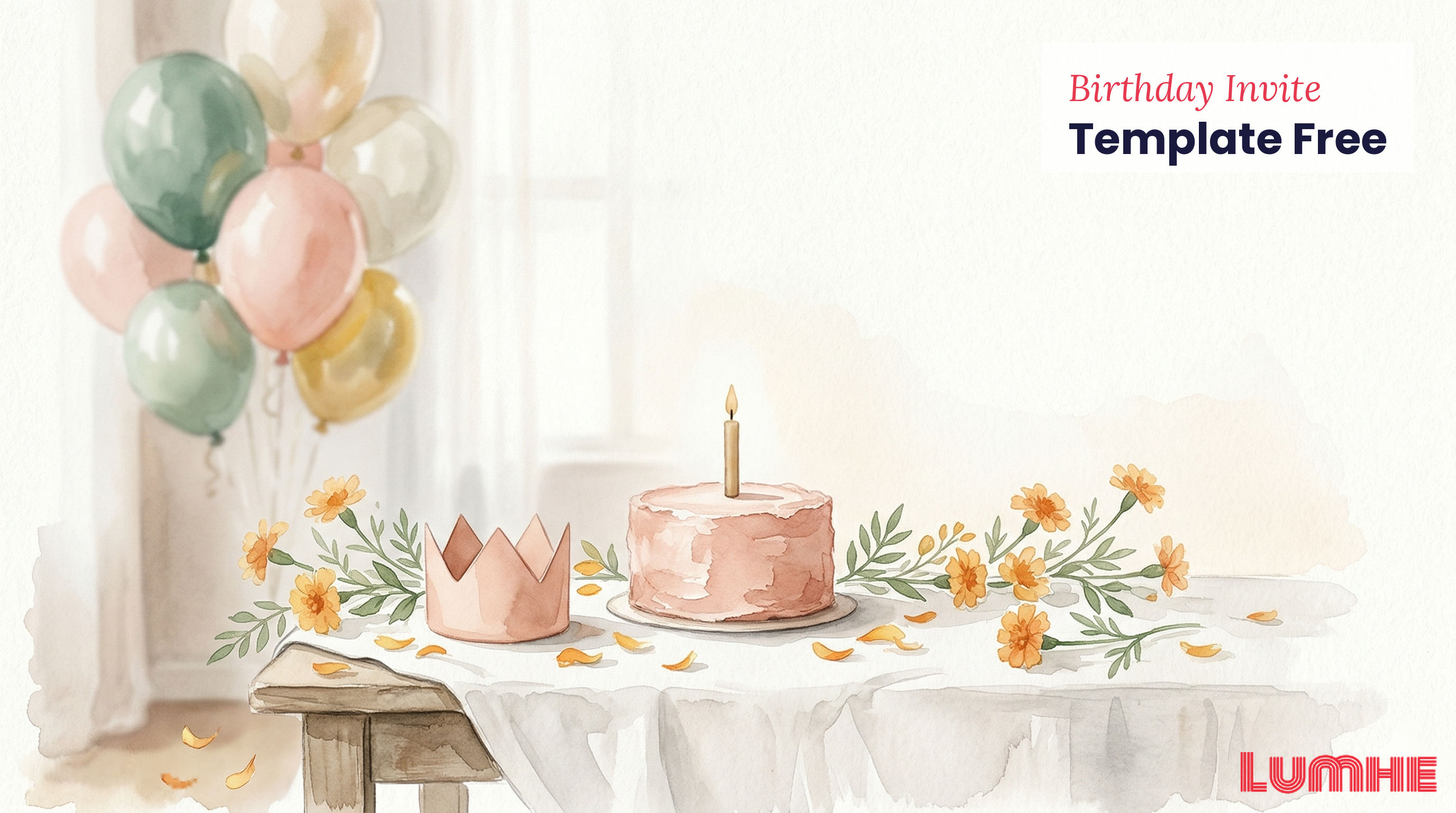
- Soft pastels with playful animals and balloons
- Include parent contact information prominently
- Large, clear fonts for readability
- Consider: "Join us for [Child's Name]'s First Birthday!"
Early Childhood (4-8 Years)
- Character-themed designs (superheroes, princesses, dinosaurs)
- Bright, vibrant colors and fun illustrations
- Include cake cutting time and special activities
- Example: "You're invited to a superhero adventure!"
Older Children (9-12 Years)
- Sport or hobby-based themes (soccer, gaming, art)
- Trendy colors (electric blue, neon pink, metallic)
- Include activity descriptions and dress code suggestions
- Wording: "Level up at [Name]'s Birthday Gaming Party!"
Teen & Adult Invitations (Ages 13+)
Teen Parties (13-19 Years)
- Modern, minimalist designs with current fonts and gradients
- Emojis and contemporary imagery
- Include playlist info, dress code, and social media hashtags
- Template idea: "Save the date for [Name]'s Birthday Bash"
Adult Milestone Birthdays (30, 40, 50, etc.)
- Elegant, sophisticated designs with gold accents or monograms
- Black and white with colorful pop-outs
- Vintage or retro themes for nostalgic celebrations
- Copy example: "Celebrating 40 Years of [Name]—Join the Festivities"
Adult Casual (20s-60s)
- Modern, clean designs with professional color schemes
- Photos of the birthday person
- Straightforward information hierarchy
- Tone: "Let's celebrate [Name]'s Birthday"
Theme-Based Templates
Seasonal Themes
- Summer garden party (floral, bright colors)
- Winter celebration (snowflakes, icy blues)
- Fall gathering (autumn leaves, warm tones)
- Spring blossom (pastel florals, light backgrounds)
Lifestyle Themes
- Tropical/beach party (palm trees, ocean vibes)
- Retro/vintage (neon colors, throwback fonts)
- Glamorous/black-tie (art deco, luxe metallics)
- Casual/outdoor (picnic patterns, rustic fonts)
Part 3: Free Graduation Party Invite Templates
Graduation celebrations deserve equally impressive invitations. Here are resources specifically for grad parties:
Best Sources for Graduation Party Invitations
Top Free Resources:
1. Canva's Graduation Collection – 500+ customizable grad party designs
2. Greetings Island – Printable graduation-specific templates
3. Template.net – Class of 2026/2027 designs with cap-and-gown illustrations
4. Adobe Express – Modern grad photo templates
5. Google Slides – Collaborative grad party planning templates
Customization Tips for Graduation Invitations
- Include graduation date, venue, and date of party (often different)
- Add the graduate's major, school, or accomplishment
- Incorporate school colors throughout the design
- Use photos of the graduate or campus landmarks
- Include graduation hashtag for social media coordination
Wording Ideas for Graduation Invitations
- "Join us in celebrating [Name]'s graduation from [School]"
- "Come celebrate this milestone moment in [Name]'s journey"
- "Congratulations to our graduate—help us celebrate!"
- "In honor of [Name]'s achievement—you're invited!"
Part 4: General Party Invitation Templates & Occasions
Beyond birthdays and graduations, party templates work for numerous celebrations:
Anniversary Parties
- Elegant designs with year numbers
- Gold or silver accents for significant milestones
- Photo templates featuring the couple
Engagement Parties
- Modern, romantic designs
- Photo templates with couple imagery
- Champagne or ring-themed illustrations
Baby Showers
- Pastel color schemes (gender-neutral options available)
- Baby animal or nursery rhyme themes
- Space for game details and registry information
Retirement Parties
- Sophisticated designs celebrating a new chapter
- Travel or hobby-themed templates
- Include career highlights or inside jokes
Holiday Parties
- Seasonal designs with decorative elements
- Workplace-appropriate templates
- Group celebration themes
Part 5: Step-by-Step Customization Guide
Step 1: Choose Your Template Source
Select a platform based on your comfort level and customization needs. Canva is ideal for beginners; Adobe Express suits those wanting professional results.
Step 2: Select Your Template
Choose a design matching your party theme, color scheme, and formality level. Most platforms show previews before selection.
Step 3: Customize Text Elements
- Replace placeholder name with the birthday person's name
- Update date, time, and location details
- Add special notes or party details (dress code, RSVP deadline, dietary information)
- Proofread multiple times for accuracy
Step 4: Personalize Colors & Fonts
- Adjust colors to match your party theme or brand
- Change fonts to reflect the event's tone (playful, elegant, modern)
- Ensure text remains readable—don't sacrifice legibility for aesthetics
- Test how colors appear on different screen sizes and printers
Step 5: Add Photos or Graphics
- Upload a photo of the birthday person
- Add custom images relevant to the theme
- Insert location maps or venue photos
- Use illustrations to enhance the design without cluttering
- Clear RSVP deadline (typically 1-2 weeks before party)
- Multiple RSVP contact options (phone, email, link)
- Parking information if needed
- Accessibility details (wheelchair access, nearby transit)
- Dietary restrictions or allergy information
Step 7: Choose Your Distribution Method
Decide between digital (email, text, social media) or printed invitations, or combine both approaches.
Step 8: Download & Test
- Download in appropriate format (PDF for printing, JPG/PNG for digital)
- Print a sample to verify colors and readability
- Send a test digital version to yourself
- Make adjustments before final distribution
Part 6: 15 Professional Wording Examples
1. "You are cordially invited to celebrate the birthday of [Name]. Join us for an evening of celebration, fine dining, and delightful company on [Date] at [Time]. Venue: [Location]."
2. "The honor of your presence is requested at a birthday celebration in honor of [Name]. [Date] at [Time], [Venue]. Black-tie optional."
3. "Please join us in celebrating a milestone—[Name]'s 40th birthday. Saturday, [Date], [Time], [Venue]. Cocktails and dinner to follow."
Casual/Fun
4. "Let's celebrate [Name]'s birthday! We're throwing a party and you're invited. [Date] at [Time]. Venue: [Location]. Bring your dancing shoes!"
5. "Game on! [Name] is turning [Age] and we're celebrating in style. Party time: [Date], [Time], [Venue]."
6. "You're invited to a birthday bash! Help us celebrate [Name] on [Date] at [Time]. Location: [Venue]. Be there or be square!"
Family-Friendly
7. "Join the birthday fun! [Name] is turning [Age] and we'd love to see you. Date: [Date], Time: [Time], Place: [Venue]. Games, cake, and celebrations await!"
8. "We're throwing a birthday party for [Name]! You're invited to celebrate together. [Date] at [Time], [Venue]. Bring the whole family!"
9. "Birthday party alert! [Name] is celebrating on [Date] at [Time]. Come join us at [Venue] for fun, food, and birthday cheer."
Quirky/Humorous
10. "Warning: [Name] is getting older. Help us celebrate before they realize it. [Date] at [Time], [Venue]."
11. "You have been selected as an official birthday party attendee! Report to [Venue] on [Date] at [Time] to celebrate [Name]."
12. "[Name] is pretending they don't care about their birthday. Let's surprise them anyway! [Date], [Time], [Venue]."
Milestone-Specific
13. "'Adulting' just got better—[Name] is officially 21! Join us for a celebration on [Date] at [Time], [Venue]. Let the fun begin!"
14. "30, flirty, and thriving! Celebrate [Name]'s 30th birthday on [Date] at [Time]. Location: [Venue]. Glamorous attire encouraged."
15. "50 years of amazing! Celebrate [Name] and their fabulous 50th on [Date] at [Time]. Join us at [Venue] for an unforgettable evening."
Part 7: Print at Home vs. Send Digitally—Which Option Is Best?
Print at Home
Advantages:
- Complete control over colors, finishes, and quality
- Cost-effective for small gatherings
- Personal, tangible touch
- No reliance on recipient's email or digital access
- Easier to include multiple enclosures or special details
Disadvantages:
- Time-consuming for large guest lists
- Paper and ink costs add up quickly
- Quality depends on your printer
- Environmental impact of paper
- Requires guest addresses
Best for: Small, intimate parties; formal occasions; recipients who prefer traditional invitations
Send Digitally
Advantages:
- Instant delivery to any contact
- Cost-free distribution
- Easy to update or resend
- Recipients can share immediately
- Trackable delivery and opens
- Works for last-minute planning
Disadvantages:
- Can feel impersonal or less formal
- Risk of ending up in spam folders
- Some recipients may overlook digital invitations
- Less suitable for older guests or formal events
- Difficult to include physical attachments
Best for: Casual gatherings, younger guests, large guest lists, events planned with short notice
Hybrid Approach
Many hosts combine both methods:
- Send digital preview invitations first
- Print formal versions for mailing
- Email digital RSVPs alongside printed option
- Share digital on social media while mailing select guests
Part 8: Design Tips for Non-Designers
Color Theory Basics
- Avoid clashing colors: Stick to 2-3 main colors plus neutrals
- Use contrast wisely: Ensure text is readable against backgrounds
- Psychology matters: Blues feel calm; reds feel energetic; pastels feel gentle
- Consider printer limitations: Some colors appear different when printed
Typography Tips
- Limit font choices: Use maximum 2-3 fonts (one for headers, one for body text)
- Prioritize readability: Avoid overly decorative fonts for essential information
- Font sizing matters: Make key details (date, time, location) noticeably larger
- Hierarchy is key: Most important info should stand out visually
Layout Principles
- White space is your friend: Don't overcrowd the invitation
- Visual hierarchy: Guide readers from top to bottom with size and emphasis
- Alignment matters: Ensure elements align neatly for a professional appearance
- Balance design: Avoid putting all graphics on one side
Photo Integration
- Quality over quantity: One stunning photo beats five mediocre ones
- Avoid harsh filters: Keep photos natural and recognizable
- Proper cropping: Frame the subject appropriately
- Background consideration: Ensure photos don't obscure important text
Common Design Mistakes to Avoid
- Clashing or overwhelming colors
- Too many different fonts
- Tiny, unreadable text
- Overcrowded layouts
- Low-resolution or blurry images
- Inconsistent styling between text and graphics
- Forgetting white space for visual rest
Part 9: Making Your Invitation Stand Out
Personalization Techniques
- Reference inside jokes or shared memories
- Include a favorite quote from the birthday person
- Use the person's favorite colors or hobbies as design inspiration
- Add personal photos throughout the design
- Create a custom illustration or caricature
Interactive Elements
- Include a QR code linking to:
- Party playlist
- Photo gallery location
- Venue directions and parking info
- Gift registry or wishlist
- Add augmented reality (AR) elements for tech-savvy guests
- Create a custom hashtag for social media sharing
Special Touches
- Print on textured or colored paper
- Add embellishments (glitter, metallic accents)
- Die-cut unusual shapes
- Include small gifts or enclosures (seed packets, candy)
- Hand-write names or personal notes on printed invitations
Part 10: RSVP Management & Party Coordination
Making RSVP Easy
- Provide multiple response options (text, email, phone, online form)
- Set a clear deadline (10-14 days before the event)
- Include "plus-one" instructions if applicable
- Request dietary restrictions or special needs information
- Offer a digital confirmation once RSVP is received
Tracking Responses
- Use a simple spreadsheet or shared document
- Dedicated RSVP platforms (Evite, Wedding Wire, etc.)
- Integration with Lumhe for comprehensive guest management
- Regular reminders before the deadline
- Follow up with non-responders a few days before the deadline
Post-RSVP Communication
- Confirm attendance with final attendee count
- Send parking or location reminders closer to the date
- Share last-minute changes or important details
- Collect emergency contact information if needed
Conclusion: From Invitation to Celebration
Creating eye-catching birthday invitations no longer requires professional design skills or expensive printing. With hundreds of free templates available and intuitive customization tools, you can produce invitations that rivals professional designs in minutes.
Whether you're celebrating a fifth birthday, a milestone 40th, or a graduation, the templates and strategies in this guide ensure your invitation sets the perfect tone for your celebration.
Found your template? Upload it to Lumhe in any format, find guests by name/phone/email, and send directly. Track RSVPs, share party photos through Moments, and let guests contribute through Digital Lifafa. Explore Lumhe here.
Frequently Asked Questions
Q: Can I legally use free templates commercially?
A: Most free templates are for personal use only. Check each platform's terms before using for business purposes.
Q: What file format is best for printing?
A: PDF is best for printing (maintains exact colors and formatting). Use JPG or PNG for digital sharing.
Q: How far in advance should I send invitations?
A: 2-4 weeks before the party; 6-8 weeks for formal or large events.
Q: Can I modify copyrighted templates?
A: Yes, most platforms allow personal modifications. Respect designer credits and don't redistribute the original.
Q: What size should invitations be?
A: Standard options are 5"x7" (folded) or 4"x6" (flat). Most templates auto-resize for printing.
Q: How do I ensure digital invitations don't go to spam?
A: Use reputable platforms (Evite, Lumhe); avoid certain spam-trigger words; send from professional email address.
Q: Is it rude to send digital invitations instead of printed?
A: For casual events, no. For formal occasions, printed is more traditional. Hybrid approaches work well for most celebrations.
Related: learn about 18th birthday party invitations
Last updated: March 2026. Information current as of publication date.