Invitation Card Design: Master the Art of Creating Stunning Invites in 2026
Your complete guide to designing beautiful, professional invitation cards that leave lasting impressions—from concept to print, with UK design trends and DIY tips.
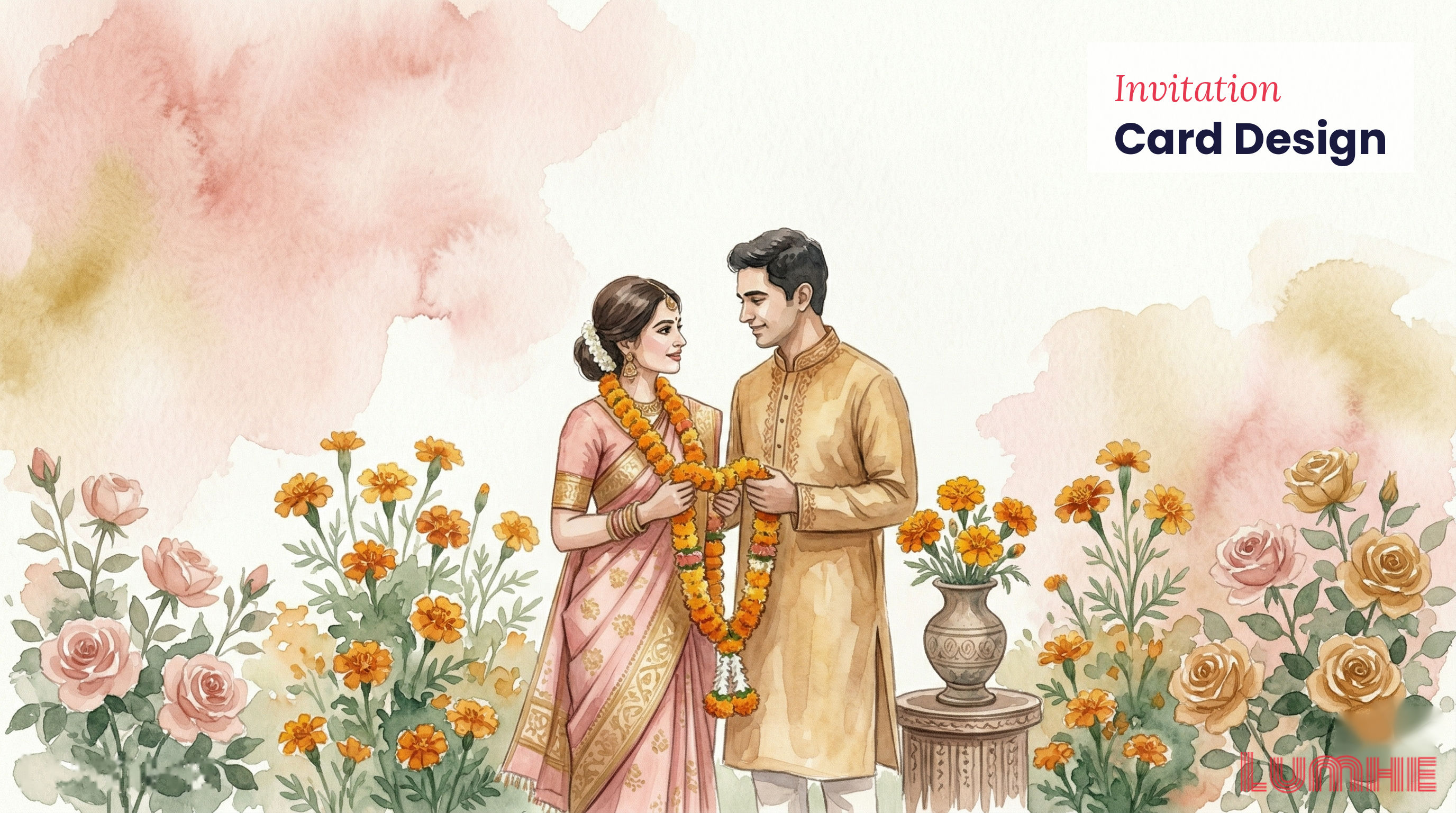
Your complete guide to designing beautiful, professional invitation cards that leave lasting impressions—from concept to print, with UK design trends and DIY tips.
An invitation card is more than a piece of paper—it's a promise of the event to come. Whether you're planning an intimate dinner party, a milestone birthday celebration, or a grand wedding, your invitation sets the tone and builds excitement before guests even arrive.
For more inspiration, explore 10 Adorable Baby Shower Invitation Templates.
In 2026, invitation card design blends timeless principles with contemporary aesthetics. Modern UK design favours minimalism, sustainable materials, and personalised touches. Whether you're creating a professional wedding invitation or a fun birthday card, understanding design fundamentals will elevate your creations from ordinary to extraordinary.
For more inspiration, explore this guide to 8 elegant bridal shower invitation templates.
This guide covers everything you need to know about invitation card design: from foundational principles and occasion-specific strategies to DIY methods, templates, and print-ready specifications. You'll also discover the latest UK design trends and learn how to use tools like Canva, Adobe Express, and Procreate to bring your vision to life.
For more inspiration, explore Christmas & Holiday Party Invitations.
Creating an invitation card that looks professional and feels special requires understanding core design principles. These fundamentals apply whether you're designing on Canva or using professional software.
Colour is the first element people notice. It communicates mood, occasion, and personality before a single word is read.
Colour choices by occasion:
In 2026, colour psychology emphasises:
Pro tip: Use the 60-30-10 colour rule—60% dominant colour, 30% secondary colour, 10% accent colour—for balanced, professional results.
Typography communicates personality and hierarchy. Poor font choices undermine even beautiful design.
Best practices for invitation typography:
1. Pair serif with sans-serif: A classic serif font (like Garamond) for formal text with a clean sans-serif (like Montserrat) for details creates visual interest
2. Limit to 2-3 fonts maximum: One for headlines, one for body text, one (optional) for accents
3. Font size hierarchy: Event title (36-48pt), event details (18-24pt), body text (12-14pt)
4. Readability first: Avoid overly decorative fonts for essential information; reserve them for decorative elements
Recommended font combinations:
Guests need to quickly locate essential information: what, when, where, how to respond.
Information priority order:
1. Event name/type (largest, most prominent)
2. Date and time (highly visible, secondary size)
3. Location/venue (same prominence as date/time)
4. RSVP details (clear but smaller)
5. Additional notes (smallest text)
Hierarchy techniques:
Unused space isn't wasted space—it's breathing room that makes designs feel sophisticated and uncluttered.
White space principles:
Each occasion demands a different design approach. Understanding these nuances ensures your invitation feels appropriate and resonates with guests.
Wedding invitations set expectations for formality, style, and theme.
Design essentials:
Layout consideration: Traditional two-card format (outer cover + inner invitation) or modern single-card design. Two-card designs create anticipation; single-card designs are eco-friendly and modern.
Birthday invitations should reflect the celebrant's personality and age.
Design approach:
Christenings require tender, delicate design appropriate for celebration of new life.
Design characteristics:
Dinner invitations should convey the tone of the gathering—whether casual, formal, or themed.
Design strategies:
Creating your own wedding invitations is rewarding, cost-effective, and deeply personal. Follow these steps to design professional-quality cards.
Before designing, clarify your aesthetic:
Budget-friendly options:
Start with a template matching your style, then customise.
Standard UK invitation card sizes:
Decide: folded card (more formal, makes statement) or flat card (contemporary, practical)?
1. Select your colour palette: Primary colour (dominant), secondary colour (supporting), accent colour (highlight)
2. Choose fonts: Select 2-3 fonts that pair well and reflect your style
3. Test contrast: Ensure text is readable on your background colour
4. Create a style guide: Document colours (hex codes), fonts, spacing for consistency across all wedding stationery
Traditional layout:
Modern layout:
Key placements:
Less is more in 2026. Consider:
Avoid: Busy patterns, excessive decorative elements, clipart-style graphics.
Use formal wording:
"Together with their families,
[Couple Name] request the honour of your presence
at the marriage of
[Full Names]
Saturday, the [date] at [time]
at [Venue], [Location]
Reception to follow"
Customise with your details, removing or adjusting "honour" to "pleasure" for less formal weddings.
Print options:
Assembly:
Birthday invitation design should reflect the celebrant's life stage and personality.
Design approach: Playful, colourful, character-driven
Copy example: "Join us for a SMASHING birthday celebration! [Child's name] is turning 8, and you're invited to the party of the year!"
Design approach: Trendy, age-appropriate, less "cutesy"
Copy example: "You're invited to celebrate [Teen's name]'s 16th! Join us for [activity]—it's going to be epic."
Design approach: Sophisticated, celebratory, reflective
Copy example: "Celebrating 40 years of incredible memories—and many more to come! Join us as [Name] enters their fabulous 40s."
Using templates accelerates design whilst maintaining professional quality.
Free platforms:
Premium platforms:
Specialist sources:
Step 1: Choose a template close to your vision—customising is easier than creating from scratch.
Step 2: Update text and dates first to see if information fits.
Step 3: Customise colours—change primary colour to match your scheme, adjust secondary colours for harmony.
Step 4: Swap graphics—replace placeholder images or illustrations with your own (photos, illustrations, icons).
Step 5: Adjust typography—keep the font pairing structure but update font sizes and weights if needed.
Step 6: Refine spacing—templates often have generous margins; tighten or expand based on your style.
Step 7: Proof carefully—check dates, spelling, times, venue details, and RSVP information.
Step 8: Test print—print a sample to check colours and readability.
UK design in 2026 reflects conscious creativity, minimalism, and personal connection.
1. Conscious Minimalism
Stripped-back designs with purposeful white space. Fewer colours, bolder typography, negative space as design element. Reflects values of clarity, sustainability, and quality over quantity.
2. Earthy, Sustainable Palettes
Terracotta, olive, sage green, warm greys, natural creams, soft browns. Inspired by nature and sustainability movement. Suggests eco-friendly materials and conscious design choices.
3. Personalisation and Bespoke Design
Move away from one-size-fits-all templates toward customisation that reflects individual identity. Hand-drawn elements, family monograms, location illustrations, personal details woven into design.
4. Typography as Art
Emphasis on interesting typeface combinations, variable fonts, and bold typography as primary design element. Text becomes graphic element, not just information carrier.
5. Layered, Tactile Design
Multiple layers suggesting depth (vellum overlays, embossing, foil stamping). Emphasis on tactile experience—paper choices matter, texture visible and felt.
6. Vintage-Modern Fusion
Combining vintage design elements (mid-century, 1970s, Victorian) with contemporary minimalism. Not strictly retro; rather, selective vintage touches in modern context.
7. Inclusive, Diverse Representation
Design reflecting UK's diversity. Illustrations and photographs featuring varied ages, ethnicities, abilities, family structures. Language inclusive of all guests.
8. Art Deco Revival
Geometric patterns, luxe metallics (gold, rose gold), bold colour blocking influenced by 1920s aesthetics, but simplified and modern.
9. Maximalist Moments Within Minimalism
Strategic maximalism—one area intensely detailed (perhaps a border, header, or corner design) while rest of card remains minimalist. Creates visual focus and intrigue.
10. Digital-First Design Considerations
QR codes, scannable event details, links to digital RSVPs. Recognising that invitations appear digitally before printed versions. Design works both on screens and in print.
Multiple tools exist at different price points and expertise levels. Choose based on your comfort, budget, and design ambitions.
Cost: Free tier; Pro £119.99/year; Teams from £180/year
Best for: Beginners, fast design creation, extensive template library
Features:
Limitations: Limited advanced customisation, design originality (many use same templates)
Cost: Free tier; Premium £4.99/month
Best for: Those wanting professional results with user-friendly interface
Features:
Limitations: Premium features limited in free tier
Cost: £11.99 one-time purchase (iPad only)
Best for: Hand-drawn, artistic, illustrative invitation designs
Features:
Limitations: iPad-only; steep learning curve; not ideal for text-heavy designs
Cost: Part of Creative Cloud; individual subscription £54.99/month
Best for: Professional designers, complex multi-page projects, CMYK design
Features:
Limitations: Expensive, steep learning curve, overkill for simple designs
Cost: £61.99 one-time purchase (Windows, Mac)
Best for: Serious designers wanting professional tools without subscription
Features:
Limitations: Smaller template library than paid services, learning curve
Cost: Free (Google Docs); Word included with Microsoft 365
Best for: Very basic, text-heavy invitations; those already familiar with the tools
Features:
Limitations: Limited design capability, basic templates, not ideal for professional-looking designs
Getting technical specifications right ensures your invitation prints exactly as designed.
DPI (dots per inch) determines print quality.
Setting in design software:
Bleed is extra artwork beyond the final cut line, preventing white edges if cutting is slightly off.
Example for A6 card (105mm × 148mm):
CMYK vs RGB:
Always design in or export as CMYK for printing to ensure colours match your expectations.
Paper weight:
Paper finish:
Specialty papers:
Recommendation: 300 gsm silk or matte finish in white or cream for professional, elegant result.
When uploading to printer:
1. Export as PDF
2. Set CMYK colour mode
3. Include 3mm bleed
4. Name file clearly: "Invitation_A6_CMYK_Bleed.pdf"
5. Check colour preview before submitting
Together with their families,
[Bride & Groom] request the honour of your presence
at the marriage of
[Full Names]
Saturday, the [date] at [time]
[Venue name], [Location]
Reception to follow
RSVP by [date] to [email/phone]
We're getting married!
[Names] would love to celebrate with you
Date: [Day], [Date] at [Time]
Venue: [Name and address]
Join us for dinner, dancing, and celebrations
Please let us know you're coming:
[RSVP details]
Join us to celebrate [Name]'s 50th birthday!
An evening of memories, laughter, and good company
Friday, [Date] at [Time]
[Venue]
Dinner and drinks provided
RSVP by [Date] to [Contact]
You're invited to a BIRTHDAY BASH!
[Child's Name] is turning [Age]!
When: [Date] at [Time]
Where: [Location]
Fun, games, and cake await!
Please RSVP by [Date]
Questions? Contact [Parent Name] at [Contact]
The joy of new life, celebrated with love
You are warmly invited to the Christening of
[Baby's Name]
Sunday, [Date] at [Time]
[Church/Venue name], [Location]
Reception to follow at [Venue]
Please RSVP by [Date]
Request the pleasure of your company
for an evening of fine dining
[Date] at [Time]
[Venue]
Menu details: [link or brief description]
Dietary requirements by [Date] to [Contact]
Come celebrate summer!
[Host name/names] invite you to an afternoon garden party
[Date], [Time]
[Garden location]
Enjoy refreshments, games, and good company
Please let us know you're coming by [Date]
Cocktails and Conversation
You're invited to an elegant evening
[Date] | [Time] | [Venue]
Dress code: Smart Cocktail
RSVP to [Contact] by [Date]
Join us as we celebrate [Number] years of marriage
[Couple names]
[Date] at [Time]
[Venue]
Your presence is our present
Please confirm attendance by [Date]
A celebration of love and commitment
[Couple names] are engaged!
Join us for an evening of celebration
[Date], [Time]
[Venue]
RSVP by [Date] to [Contact]
A celebration of new beginnings
You're invited to a baby shower
Honouring [Parent name(s)]
[Date] at [Time]
[Venue]
Games, gifts, and good cheer await!
Please RSVP by [Date]
Come over! We're having people round.
[Date], [Time]
[Address]
Bring yourself, maybe a bottle, and good vibes
Let [Name] know if you're coming
Creating invitation cards that impress doesn't require expensive software or professional design experience. It requires understanding fundamental design principles—colour, typography, hierarchy, and white space—and applying them thoughtfully to your specific occasion.
Whether you're crafting elegant wedding invitations, playful birthday celebrations, tender christenings, or sophisticated dinner gatherings, the same principles guide beautiful design. Start with your vision, choose appropriate tools, and don't be afraid to iterate. Your first draft won't be perfect—and that's fine. Refinement is part of the process.
In 2026, the most appreciated invitations balance current design trends with personal touches. They're beautifully designed, clearly informative, and deeply personalised to the occasion and celebrant. They make guests feel valued and excited before they even arrive.
Designed your invitation card? Upload it to Lumhe in any format, find guests by name/phone/email, and send directly. Track RSVPs, share event photos through Moments, and let guests contribute through Digital Lifafa. Explore Lumhe here.
Lumhe transforms your beautifully designed invitation from a visual object to the centre of your event's digital ecosystem. After months of planning and designing the perfect invitation, ensure it reaches the right people and that your event stays connected throughout.
Why Lumhe for your invitations:
Related: learn about funeral invitation wording
From invitation to celebration to memory, Lumhe keeps your event connected and joyful.
Design a beautiful event invitation in seconds and share it with a link — free, no app needed.

Digital invitations have become the default for American events. Whether you're hosting a wedding, birthday party, graduation, or corporate event, sending paper invitations feels outdated. Plus, digital invitations are better for the environment, faster to create, and easier to t
Planning a birthday party doesn't have to start with hiring a designer or buying expensive invitations. With thousands of free, customizable birthday invite templates available online, you can create professional-looking invitations in minutes—whether you're celebrating a milesto
Planning a wedding involves countless decisions and mountains of administrative tasks. One decision that has become increasingly essential is creating a dedicated wedding website. Whether you're planning an intimate ceremony or a grand celebration, a wedding website serves as you